# fxapi documentation
> fxapi provides current and historical foreign exchange rates for fiat, metal and crypto currencies over a simple JSON REST API.
Authenticate every request with your API key via the `apikey` query parameter or request header. Base URL: https://api.fxapi.com
OpenAPI specification: https://fxapi.com/docs/openapi.yaml
---
Source: https://fxapi.com/docs
# Authentication & API key Information
Building with an AI assistant? The full API is available as a machine-readable [OpenAPI 3.1 specification](https://fxapi.com/docs/openapi.yaml), and the documentation is published as [llms.txt](https://fxapi.com/docs/llms.txt) / [llms-full.txt](https://fxapi.com/docs/llms-full.txt). There is also a hosted [MCP server](https://fxapi.com/docs/mcp) at `https://api.fxapi.com/mcp` that AI agents can connect to directly.
fxapi uses API keys to allow access to the API. You can register a new API key at our developer portal.
While our free plan only allows one API key at a time, our paid plans offer multiple API keys.
By using separate keys for different use cases you can track individual usage and make key rotations affect only certain
parts of your application.
## Official Libraries
| Language | Code | Repository |
|-----------------------|----------------------------------------------------------------------------------------|------------------------------------------------------------------------------------------------------|
| Go | [https://github.com/everapihq/fxapi-go](https://github.com/everapihq/fxapi-go] | [https://pkg.go.dev/github.com/everapihq/fxapi-go](https://pkg.go.dev/github.com/everapihq/fxapi-go) |
| C# | [https://github.com/everapihq/fxapi-dotnet](https://github.com/everapihq/fxapi-dotnet] | [https://www.nuget.org/packages/fxapi](https://www.nuget.org/packages/fxapi) |
| Python | [https://github.com/everapihq/fxapi-python](https://github.com/everapihq/fxapi-python] | [https://pypi.org/project/fxapicom/](https://pypi.org/project/fxapicom/) |
| Ruby | [https://github.com/everapihq/fxapi-ruby](https://github.com/everapihq/fxapi-ruby] | [https://rubygems.org/gems/fxapi](https://rubygems.org/gems/fxapi) |
| Rust | [https://github.com/everapihq/fxapi-rs](https://github.com/everapihq/fxapi-rs] | [https://crates.io/crates/fxapi-rs](https://crates.io/crates/fxapi-rs) |
| PHP | [https://github.com/everapihq/fxapi-php](https://github.com/everapihq/fxapi-php] | [https://packagist.org/packages/everapi/fxapi-php](https://packagist.org/packages/everapi/fxapi-php) |
| JavaScript ES6 module | [https://github.com/everapihq/fxapi-js](https://github.com/everapihq/fxapi-js] | [https://www.npmjs.com/package/@everapi/fxapi-js](https://www.npmjs.com/package/@everapi/fxapi-js) |
## Authentication methods
To authorize, you can use the following ways:
### GET query parameter
You can pass your API key along with every request by adding it as a query parameter `apikey`
This method could expose your API key in access logs and such.
Sending the API key via a header parameter as specified below circumvents this problem.
```bash
curl "https://api.fxapi.com/v1/latest?apikey=YOUR-APIKEY"
```
```javascript
var oReq = new XMLHttpRequest();
oReq.addEventListener("load", function () { console.log(this.responseText); });
oReq.open("GET", "https://api.fxapi.com/v1/latest?apikey=YOUR-APIKEY");
oReq.send();
```
```php
$url = "https://api.fxapi.com/v1/latest?apikey=YOUR-APIKEY";
$curl = curl_init($url);
$resp = curl_exec($curl);
var_dump($resp);
````
```python
import requests
from requests.structures import CaseInsensitiveDict
url = "https://api.fxapi.com/v1/latest?apikey=YOUR-APIKEY"
resp = requests.get(url)
print(resp.status_code)
````
### HTTP Header
You can set a request header with the name `apikey`
```bash
curl "https://api.fxapi.com/v1/latest" \
-H "apikey: YOUR-APIKEY"
```
```javascript
var oReq = new XMLHttpRequest();
oReq.addEventListener("load", function () { console.log(this.responseText); });
oReq.open("GET", "https://api.fxapi.com/v1/latest");
oReq.setRequestHeader("apikey", "YOUR-APIKEY");
oReq.send();
```
```php
$url = "https://api.fxapi.com/v1/latest";
$curl = curl_init($url);
curl_setopt($curl, CURLOPT_URL, $url);
curl_setopt($curl, CURLOPT_RETURNTRANSFER, true);
$headers = array(
"apikey: YOUR-APIKEY",
);
curl_setopt($curl, CURLOPT_HTTPHEADER, $headers);
$resp = curl_exec($curl);
var_dump($resp);
````
```python
import requests
from requests.structures import CaseInsensitiveDict
url = "https://api.fxapi.com/v1/latest"
headers = CaseInsensitiveDict()
headers["apikey"] = "YOUR-APIKEY"
resp = requests.get(url, headers=headers)
print(resp.status_code)
````
## Rate limit and quotas
You can use a certain amount of requests per month. This is defined by your plan.
Once you go over this quota you will be presented with a `429` HTTP status code and you either need to upgrade your plan
or wait until the end of the month.
We enforce a minute rate limit for each plan. If you exceed this you will also be presented with a `429` HTTP status
code.
You then have to wait until the end of the minute to do more requests.
Only successful calls count against your quota. Any error on our side or any validation error (e.g. wrong parameter)
will NOT count against your quota or rate limit.
### Response Headers
We attach certain headers to tell you your current monthly/minute quota and how much you have remaining in the period.
```HTTP
X-RateLimit-Limit-Quota-Minute: 10
X-RateLimit-Limit-Quota-Month: 300
X-RateLimit-Remaining-Quota-Minute: 5
X-RateLimit-Remaining-Quota-Month: 199
```
---
Source: https://fxapi.com/docs/convert
# Convert Exchange Rates
Returns calculated values for today or any given date for all currencies.
**Request Method:** `GET`
**Request URL:** `https://api.fxapi.com/v1/convert`
## Request Parameters
| Parameter | Type | Mandatory | Description |
| --------------- | -------- | ---------- | --------------------------------------------------------------------------------------------------------------------------------- |
| `apikey` | _string_ | ️ | Your API Key |
| `value` | _string_ | ️ | The value you want to convert |
| `date` | _string_ | ️ | Date to retrieve historical rates from (format: 2021-12-31) |
| `base_currency` | _string_ | | The base currency to which all results are behaving relative toBy default all values are based on USD |
| `currencies` | _string_ | | A list of comma seperated currency codes which you want to get (EUR,USD,CAD)By default all available currencies will be shown |
## Sample Response
The API response comes easy-to-read JSON-format contains all the currencies .
```json
{
"meta": {
"last_updated_at": "2022-01-01T23:59:59Z"
},
"data": {
"AED": {
"code": "AED",
"value": 3.67306
},
"AFN": {
"code": "AFN",
"value": 91.80254
},
"ALL": {
"code": "ALL",
"value": 108.22904
},
"AMD": {
"code": "AMD",
"value": 480.41659
},
"...": "150+ more currencies"
}
}
```
---
Source: https://fxapi.com/docs/currencies
# Currencies Endpoint
Returns all our supported currencies
**Request Method:** `GET`
**Request URL:** `https://api.fxapi.com/v1/currencies`
## Request Parameters
| Parameter | Type | Mandatory | Description |
| ------------ | -------- | ---------- | --------------------------------------------------------------------------------------------------------------------------------- |
| `apikey` | _string_ | ️ | Your API Key |
| `currencies` | _string_ | | A list of comma seperated currency codes which you want to get (EUR,USD,CAD)By default all available currencies will be shown |
## Sample Response
```json
{
"data": {
"AED": {
"symbol": "AED",
"name": "United Arab Emirates Dirham",
"symbol_native": "د.إ",
"decimal_digits": 2,
"rounding": 0,
"code": "AED",
"name_plural": "UAE dirhams"
},
"AFN": {
"symbol": "Af",
"name": "Afghan Afghani",
"symbol_native": "؋",
"decimal_digits": 0,
"rounding": 0,
"code": "AFN",
"name_plural": "Afghan Afghanis"
},
"...": {}
}
}
```
---
Source: https://fxapi.com/docs/currency-list
# Currency List
CodeNameAEDUnited Arab Emirates DirhamAFNAfghan AfghaniALLAlbanian LekAMDArmenian DramANGNL Antillean GuilderAOAAngolan KwanzaARSArgentine PesoAUDAustralian DollarAWGAruban FlorinAZNAzerbaijani ManatBAMBosnia-Herzegovina Convertible MarkBBDBarbadian DollarBDTBangladeshi TakaBGNBulgarian LevBHDBahraini DinarBIFBurundian FrancBMDBermudan DollarBNDBrunei DollarBOBBolivian BolivianoBRLBrazilian RealBSDBahamian DollarBTNBhutanese NgultrumBWPBotswanan PulaBYNBelarusian rubleBYRBelarusian RubleBZDBelize DollarCADCanadian DollarCDFCongolese FrancCHFSwiss FrancCLFUnidad de FomentoCLPChilean PesoCNYChinese YuanCOPCoombian PesoCRCCosta Rican ColónCUCCuban Convertible PesoCUPCuban PesoCVECape Verdean EscudoCZKCzech Republic KorunaDJFDjiboutian FrancDKKDanish KroneDOPDominican PesoDZDAlgerian DinarEGPEgyptian PoundERNEritrean NakfaETBEthiopian BirrEUREuroFJDFijian DollarFKPFalkland Islands PoundGBPBritish Pound SterlingGELGeorgian LariGGPGuernsey poundGHSGhanaian CediGIPGibraltar PoundGMDGambian DalasiGNFGuinean FrancGTQGuatemalan QuetzalGYDGuyanaese DollarHKDHong Kong DollarHNLHonduran LempiraHRKCroatian KunaHTGHaitian GourdeHUFHungarian ForintIDRIndonesian RupiahILSIsraeli New SheqelIMPManx poundINRIndian RupeeIQDIraqi DinarIRRIranian RialISKIcelandic KrónaJEPJersey poundJMDJamaican DollarJODJordanian DinarJPYJapanese YenKESKenyan ShillingKGSKyrgystani SomKHRCambodian RielKMFComorian FrancKPWNorth Korean WonKRWSouth Korean WonKWDKuwaiti DinarKYDCayman Islands DollarKZTKazakhstani TengeLAKLaotian KipLBPLebanese PoundLKRSri Lankan RupeeLRDLiberian DollarLSLLesotho LotiLTLLithuanian LitasLVLLatvian LatsLYDLibyan DinarMADMoroccan DirhamMDLMoldovan LeuMGAMalagasy AriaryMKDMacedonian DenarMMKMyanma KyatMNTMongolian TugrikMOPMacanese PatacaMROMauritanian ouguiyaMURMauritian RupeeMVRMaldivian RufiyaaMWKMalawian KwachaMXNMexican PesoMYRMalaysian RinggitMZNMozambican MeticalNADNamibian DollarNGNNigerian NairaNIONicaraguan CórdobaNOKNorwegian KroneNPRNepalese RupeeNZDNew Zealand DollarOMROmani RialPABPanamanian BalboaPENPeruvian Nuevo SolPGKPapua New Guinean KinaPHPPhilippine PesoPKRPakistani RupeePLNPolish ZlotyPYGParaguayan GuaraniQARQatari RialRONRomanian LeuRSDSerbian DinarRUBRussian RubleRWFRwandan FrancSARSaudi RiyalSBDSolomon Islands DollarSCRSeychellois RupeeSDGSudanese PoundSEKSwedish KronaSGDSingapore DollarSHPSaint Helena PoundSLLSierra Leonean LeoneSOSSomali ShillingSRDSurinamese DollarSTDSão Tomé and Príncipe dobraSVCSalvadoran ColónSYPSyrian PoundSZLSwazi LilangeniTHBThai BahtTJSTajikistani SomoniTMTTurkmenistani ManatTNDTunisian DinarTOPTongan PaʻangaTRYTurkish LiraTTDTrinidad and Tobago DollarTWDNew Taiwan DollarTZSTanzanian ShillingUAHUkrainian HryvniaUGXUgandan ShillingUSDUS DollarUYUUruguayan PesoUZSUzbekistan SomVEFVenezuelan BolívarVNDVietnamese DongVUVVanuatu VatuWSTSamoan TalaXAFCFA Franc BEACXAGSilver OunceXAUGold OunceXCDEast Caribbean DollarXDRSpecial drawing rightsXOFCFA Franc BCEAOXPFCFP FrancYERYemeni RialZARSouth African RandZMKZambian KwachaZMWZambian KwachaZWLZimbabwean dollarBTCBitcoinETHEthereumBNBBinanceXRPRippleSOLSolanaDOTPolkadotAVAXAvalancheMATICMatic TokenLTCLitecoinADACardano
---
Source: https://fxapi.com/docs/examples/currency-converter-javascript
# Building a Currency Converter in JavaScript
## Introduction
In this article, we build a currency converter in JavaScript, with the help of our [JavaScript package], which handles the requests to the API itself.
Furthermore, we will use [vite] as build tool and [tailwind] for easy styling.
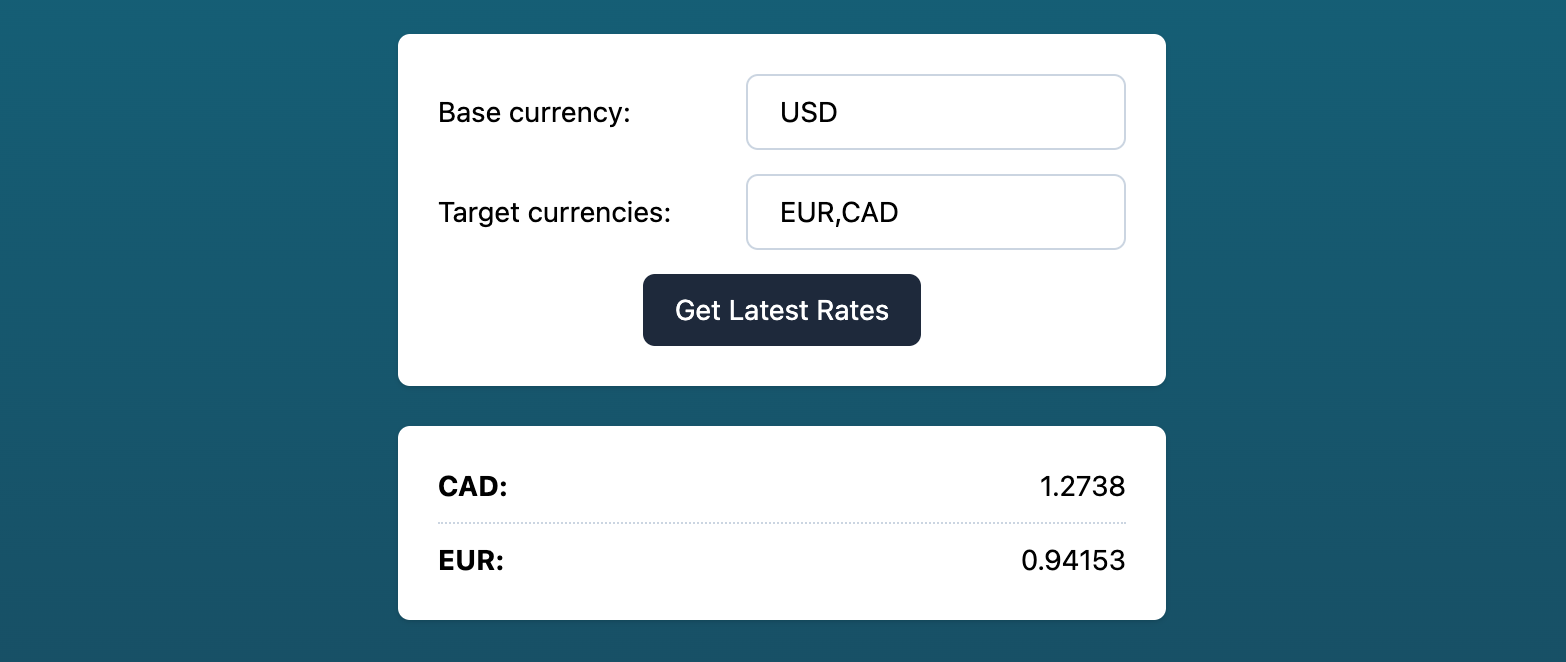
:arrow_up: Preview of the final outcome of this tutorial
## Prerequisites
- An API Key for [fxapi.com]
## Scaffold your vite project
Navigate to your workspace on your machine where you want to create your currency converter project and initialize a new vite project:
```
npm create vite@latest
```
```
yarn create vite
```
Then follow the prompts in your console. Make sure to select `vanilla` for your project setup!
Afterward, switch to the newly created project folder.
## Install the fxapi package
As mentioned above, we will use our [JavaScript package]:
```
npm install --save @everapi/fxapi-js
```
```
yarn add @everapi/fxapi-js
```
## Install & configure tailwind.css (optional)
We want to use Tailwind CSS v3, so add it to your project together with `postcss` and `autoprefixer` for a clean and stable build process:
```
npm install -D tailwindcss postcss autoprefixer
```
```
yarn add -D tailwindcss postcss autoprefixer
```
Afterward, initialize tailwind, which will create a `tailwind.config.js` in your project's root directory:
```
npx tailwindcss init
```
Open the newly created `tailwind.config.js` and modify the content attribute to match the vite setup:
```js{2}
module.exports = {
content: [".*.{html,js}"],
theme: {
extend: {},
},
plugins: [],
}
```
Also, add the Tailwind directives to your CSS:
```CSS
@tailwind base;
@tailwind components;
@tailwind utilities;
```
As a last step, we need to tell `postcss` to include both tailwind and `autoprefixer`. Otherwise, the tailwind classes won't end up in our final css.
To do so, create a file named `postcss.config.js` in your project root directory next to your tailwind config and add the following lines:
```js{3,4}
module.exports = {
plugins: [
require('tailwindcss'),
require('autoprefixer')
]
}
```
## Start vite in dev mode
Now that our preparations are done, we can start up vite:
```
npm run dev
```
```
yarn dev
```
This should open up a new tab in your browser automatically. If not, open `http://localhost:3000/`.
You should now see the default Vite index page reading `Hello Vite!`.
## Prepare your HTML
The next step is to adapt the default landing page.
Open the `index.html` and build a form for currency conversion. We will need:
- A wrapper `` for our inputs
- An `` for the base currency
- An `` for the target currencies
- A submit ``
- A container `` where we display our dynamic currency data
```html
```
Note that all CSS classes are tailwind specific, so if you want to use another CSS framework or style it yourself, feel free to remove them completely.
We will use the `id` attributes in our JavaScript.
## Handle form submission in JavaScript
Now that our HTML structure is prepared, we can add the JavaScript functionality to call the fxapi. To do so, we need to open the `main.js`.
As this file is not empty, feel free to remove any code but keep the style import in the first line.
```js
import fxapi from '@everapi/fxapi-js';
```
Now that we imported the Class, we also need to initialize a new instance using your API Key:
```js
const fxapi = new fxapi('YOUR_API_KEY_GOES_HERE');
```
Next, we store our HTML elements to constants so we can access them easily at a later point:
```js
const latestRatesForm = document.getElementById('latest_rates_form');
const baseCurrencyInput = document.getElementById('base_currency_input');
const currenciesInput = document.getElementById('currencies');
const latestRatesDisplay = document.getElementById('latest_rates_display');
```
All that is left to do is to append a listener for the form submission, which will make a request to the API using the `latest` endpoint:
```js
latestRatesForm.addEventListener('submit', (e) => {
e.preventDefault();
fxapi.latest({
base_currency: baseCurrencyInput.value.trim(),
currencies: currenciesInput.value.replaceAll(' ', '')
}).then(response => {
let currencies = Object.keys(response.data);
let resultHTML = '';
for (let currency of currencies) {
resultHTML += `
${currency}:${response.data[currency].value}
`;
}
latestRatesDisplay.innerHTML = resultHTML;
});
});
```
That's it! You have successfully built a currency converter in JavaScript. When you now press the submit button, a request to the `latest` endpoint will be triggered.
If you have specified any target currencies, only those will be rendered. Otherwise, all supported currencies will be displayed.
[vite]: https://vitejs.dev/guide/
[tailwind]: https://tailwindcss.com/
[fxapi.com]: https://fxapi.com
[JavaScript package]: https://www.npmjs.com/package/@everapi/fxapi-js
---
Source: https://fxapi.com/docs/examples/currency-converter-vuejs
# Building a Currency Converter in Vue.js
## Introduction
In this article, we build a currency converter in [Vue.js], with the help of our [JavaScript package] which handles the requests to the API itself.
Furthermore, we will use [vite] as build tool and [tailwind] for easy styling.
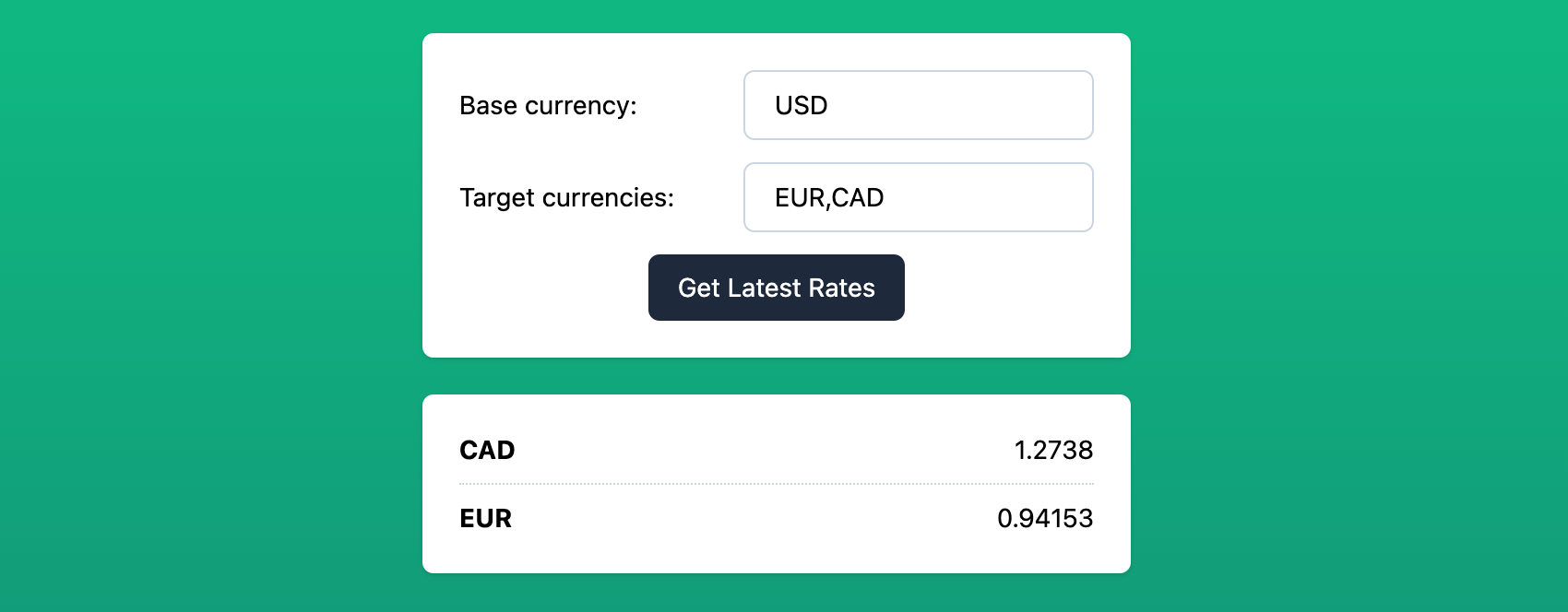
:arrow_up: Preview of the final outcome of this tutorial
## Prerequisites
- An API Key for [fxapi.com]
## Scaffold your vite project
Navigate to your workspace on your machine where you want to create your currency converter project and initialize a new vite project:
```
npm create vite@latest
```
```
yarn create vite
```
Then follow the prompts in your console. Make sure to select `vue` for your project setup!
Afterward, switch to the newly created project folder.
## Install the fxapi package
As mentioned above, we will use our [JavaScript package]:
```
npm install --save @everapi/fxapi-js
```
```
yarn add @everapi/fxapi-js
```
## Install & configure tailwind.css (optional)
We want to use Tailwind CSS v3, so add it to your project together with `postcss` and `autoprefixer` for a clean and stable build process:
```
npm install -D tailwindcss postcss autoprefixer
```
```
yarn add -D tailwindcss postcss autoprefixer
```
Afterward, initialize tailwind, which will create a `tailwind.config.js` in your project's root directory:
```
npx tailwindcss init
```
Open the newly created `tailwind.config.js` and modify the content attribute to match the vite setup:
```js{2}
module.exports = {
content: ["src/**/*.{html,js,vue}"],
theme: {
extend: {},
},
plugins: [],
}
```
For loading the tailwind styles, create a `css` folder in your `src` directory. In this `css` folder, create a `style.css` file with the following lines:
```CSS
@tailwind base;
@tailwind components;
@tailwind utilities;
```
Now you can include your styles in your `main.js` (ideally under the existing imports):
```js
import './css/style.css'
```
As a last step, we need to tell `postcss` to include both tailwind and `autoprefixer`. Otherwise, the tailwind classes won't end up in our final css.
To do so, create a file named `postcss.config.js` in your project root directory next to your tailwind config and add the following lines:
```js{3,4}
module.exports = {
plugins: [
require('tailwindcss'),
require('autoprefixer')
]
}
```
## Start vite in dev mode
Now that our preparations are done, we can start up vite:
```
npm run dev
```
```
yarn dev
```
This should open up a new tab in your browser automatically. If not, open `http://localhost:3000/`.
You should now see the default Vite index page reading `Hello Vite!`.
## Create a CurrencyConverter Single-File-Component (SFC)
Go to `src/components` and create a Vue file named `CurrencyConverter.vue`. We will use the `Options API` of Vue.js.
### Script
This component will hold the parameters which will be sent to the API in `params`, the results we get back in `results` and of course an instance of our JavaScript helper class `fxapi` which needs to be initialized with your API Key (replace `YOUR-API-KEY`).
The only method we will need for this basic example is a `submit` function, which will handle the API call to the `latest` endpoint via our [JavaScript package].
```vue
```
### Template
The `` consists of two main parts:
- A `` that wraps the inputs and triggers the `submit`
- A container where we loop over the received currencies stored in `results`
```vue
{{ result.code }}{{ result.value }}
```
All CSS classes used here are Tailwind specific and can be freely adapted or removed.
## Using the CurrencyConverter Component
To use our freshly created component, go to the `App.vue` and replace the `HelloWorld.vue` import with our `CurrencyConverter.vue` file:
```js
import CurrencyConverter from './components/CurrencyConverter.vue';
```
in the `` block, put our component to good use:
```vue
```
And that's it! You have successfully built a currency converter in Vue.js.
[vite]: https://vitejs.dev/guide/
[tailwind]: https://tailwindcss.com/
[fxapi.com]: https://fxapi.com
[JavaScript package]: https://www.npmjs.com/package/@everapi/fxapi-js
[Vue.js]: https://vuejs.org
---
Source: https://fxapi.com/docs/examples/index
# Examples
We always strive to provide the best developer experience possible. To do so, we are continuously creating and improving tutorials which serve as a sample implementation of our API.
If you have suggestions or requests for further implementation examples, [please let us know]!
[please let us know]: mailto:support@fxapi.com
---
Source: https://fxapi.com/docs/historical
# Historical Exchange Rates
Returns exchange rates for a given time range. Generally, we provide data going back to 1999.
**Request Method:** `GET`
**Request URL:** `https://api.fxapi.com/v1/historical`
## Request Parameters
| Parameter | Type | Mandatory | Description |
| --------------- | -------- | ---------- | --------------------------------------------------------------------------------------------------------------------------------- |
| `apikey` | _string_ | ️ | Your API Key |
| `date` | _string_ | ️ | Date to retrieve historical rates from (format: 2021-12-31) |
| `base_currency` | _string_ | | The base currency to which all results are behaving relative toBy default all values are based on USD |
| `currencies` | _string_ | | A list of comma seperated currency codes which you want to get (EUR,USD,CAD)By default all available currencies will be shown |
## Sample Response
The API response comes in easy-to-read JSON format and contains the end-of-day data for the provided `date` parameter for all currencies.
```json
{
"meta": {
"last_updated_at": "2022-01-01T23:59:59Z"
},
"data": {
"AED": {
"code": "AED",
"value": 3.67306
},
"AFN": {
"code": "AFN",
"value": 91.80254
},
"ALL": {
"code": "ALL",
"value": 108.22904
},
"AMD": {
"code": "AMD",
"value": 480.41659
},
"...": "150+ more currencies"
}
}
```
---
Source: https://fxapi.com/docs/latest
# Latest Exchange Rates
Returns the latest exchange rates. The default base currency is `USD`.
Depending on your subscription plan you will receive new data in different time intervals.
While our dataset in the free plan is updated daily our bigger plans offer up to minute update intervals!
**Request Method:** `GET`
**Request URL:** `https://api.fxapi.com/v1/latest`
## Request Parameters
| Parameter | Type | Mandatory | Description |
| --------------- | -------- | ---------- | --------------------------------------------------------------------------------------------------------------------------------- |
| `apikey` | _string_ | ️ | Your API Key |
| `base_currency` | _string_ | | The base currency to which all results are behaving relative toBy default all values are based on USD |
| `currencies` | _string_ | | A list of comma-separated currency codes which you want to get (EUR,USD,CAD)By default all available currencies will be shown |
## Sample Response
The API response comes as a JSON and consists of a `meta` and a `data` key.
The `meta` holds useful information like the `last_updated_at` datetime to let you know then this dataset was last updated.
The `data` key holds the actual currency information.
```json
{
"meta": {
"last_updated_at": "2022-01-01T23:59:59Z"
},
"data": {
"AED": {
"code": "AED",
"value": 3.67306
},
"AFN": {
"code": "AFN",
"value": 91.80254
},
"ALL": {
"code": "ALL",
"value": 108.22904
},
"AMD": {
"code": "AMD",
"value": 480.41659
},
"...": "150+ more currencies"
}
}
```
---
Source: https://fxapi.com/docs/mcp
# MCP Server
fxapi ships a hosted [Model Context Protocol](https://modelcontextprotocol.io) (MCP) server, so AI agents and assistants can call the API as native tools — no SDK or glue code required.
```
https://api.fxapi.com/mcp
```
The endpoint speaks the streamable HTTP transport. Listing the available tools works without authentication; executing a tool requires your API key, sent as the `apikey` header. You can [get a free API key here](https://app.fxapi.com/register).
## Connect
Using Claude Code:
```bash
claude mcp add --transport http fxapi https://api.fxapi.com/mcp --header "apikey: YOUR_API_KEY"
```
Or add the server to any MCP-capable client (Claude Desktop, Cursor, VS Code, ...):
```json
{
"mcpServers": {
"fxapi": {
"url": "https://api.fxapi.com/mcp",
"headers": { "apikey": "YOUR_API_KEY" }
}
}
}
```
## Available tools
The tools are generated from the same [OpenAPI specification](https://fxapi.com/docs/openapi.yaml) that describes the REST API, so they always match the documented endpoints, parameters and responses.
| Tool | Endpoint | Description |
|---|---|---|
| `getLatest` | `GET /v1/latest` | Latest exchange rates |
| `getHistorical` | `GET /v1/historical` | Historical exchange rates |
| `getConvert` | `GET /v1/convert` | Convert a value between currencies |
| `getRange` | `GET /v1/range` | Historical exchange rates for a time range |
| `getCurrencies` | `GET /v1/currencies` | List supported currencies |
| `getStatus` | `GET /v1/status` | Account quota status |
## Quotas and errors
Tool calls are metered exactly like REST requests: they consume your plan quota and return the same status codes and error responses (`401`, `422`, `429`, ...). If a call fails, the tool result contains the API's error message including hints on how to proceed.
---
Source: https://fxapi.com/docs/range
# Range Historical Exchange Rates
Returns a range of exchange rates. Generally, we provide data going back to 1999.
Depending on your subscription plan you can request different accuracies: `day`, `hour`, `quarter_hour`, `minute`
**Request Method:** `GET`
**Request URL:** `https://api.fxapi.com/v1/range`
## Request Parameters
| Parameter | Type | Mandatory | Description |
| ---------------- | -------- | ---------- | ---------------------------------------------------------------------------------------------------------------------------------------------------- |
| `apikey` | _string_ | ️ | Your API Key |
| `datetime_start` | _string_ | ️ | Datetime for the start of your requested range (format: 2021-12-31T23:59:59Z / ISO8601 Datetime) |
| `datetime_end` | _string_ | ️ | Datetime for the end of your requested range (format: 2021-12-31T23:59:59Z / ISO8601 Datetime) |
| `accuracy` | _string_ | | The accuracy you want to receive. Possible Values: `day`, `hour`, `quarter_hour`, `minute`Default: `day` For valid time ranges see below |
| `base_currency` | _string_ | | The base currency to which all results are behaving relative toBy default all values are based on USD |
| `currencies` | _string_ | | A list of comma seperated currency codes which you want to get (EUR,USD,CAD)By default all available currencies will be shown |
## Valid Accuracy Time Ranges
#### `day`
- not more than 366 days back
#### `hour`
- not more than 7 days between start and end
- not more than 3 months back
#### `quarter_hour`
- not more than 24 hours between start and end
- not more than 7 days back
#### `minute`
- not more than 6 hours between start and end
- not more than 7 days back
## Sample Response
The API response comes with an easy-to-read JSON format and contains currency pairs for all supported world currencies.
The `datetime` in each object holds the datetime when the entry was last updated.
Daily accuracy would result in end-of-day values and accuracy of an hour would result in end-of-hour values, and so on.
```json
{
"data": [
{
"datetime": "2022-01-01T23:59:59Z",
"currencies": {
"AED": {
"code": "AED",
"value": 3.67306
},
"AFN": {
"code": "AFN",
"value": 91.80254
},
"ALL": {
"code": "ALL",
"value": 108.22904
},
"AMD": {
"code": "AMD",
"value": 480.41659
},
"...": "150+ more currencies"
}
},
{
"datetime": "2022-01-02T23:59:59Z",
"currencies": {
"AED": {
"code": "AED",
"value": 3.67306
},
"AFN": {
"code": "AFN",
"value": 91.80254
},
"ALL": {
"code": "ALL",
"value": 108.22904
},
"AMD": {
"code": "AMD",
"value": 480.41659
},
"...": "150+ more currencies"
}
},
{
"datetime": "2022-01-03T23:59:59Z",
"currencies": {
"AED": {
"code": "AED",
"value": 3.67306
},
"AFN": {
"code": "AFN",
"value": 91.80254
},
"ALL": {
"code": "ALL",
"value": 108.22904
},
"AMD": {
"code": "AMD",
"value": 480.41659
},
"...": "150+ more currencies"
}
}
]
}
```
---
Source: https://fxapi.com/docs/status
# Status Endpoint
Returns your current quota
Requests to this endpoint do not count against your quota or rate limit
**Request Method:** `GET`
**Request URL:** `https://api.fxapi.com/v1/status`
## Request Parameters
| Parameter | Type | Mandatory | Description |
| --------- | -------- | ---------- | ------------ |
| `apikey` | _string_ | ️ | Your API Key |
## Sample Response
```json
{
"quotas": {
"month": {
"total": 300,
"used": 71,
"remaining": 229
}
}
}
```
---
Source: https://fxapi.com/docs/status-codes
# Request Status Codes
For all requests, we will return an HTTP status code that indicates a success or the problem that has led to the failure.
A successful request will be returned with status code `200`
## API Error Codes
### 401
Invalid authentication credentials
### 403
You are not allowed to use this endpoint, please [upgrade your plan](https://app.fxapi.com/subscription).
### 404
A requested endpoint does not exist
### 422
Validation error, please check the list of validation errors: [here](#validation-errors)
### 429
You have hit your rate limit or your monthly limit. For more requests please [upgrade your plan](https://app.fxapi.com/subscription).
### 500
Internal Server Error - let us know: support@fxapi.com
## Validation errors
#### Invalid currencies
One of the selected `currencies` is invalid, to get a full list of all currencies you can use the `currency` endpoint.
#### Invalid base_currency
The selected `base_currency` is invalid, to get a full list of all currencies you can use the `currency` endpoint.
#### Invalid date
The `date` is not a valid date. Please use the following format: YYYY-MM-DD
#### Wrong format: value
The `value` must be a number.
#### Chronological order issue: datetime_start
The `datetime_start` must be a date before or equal to datetime_end
#### Invalid datetime_start
The `datetime_start` is not a valid date.
Datetime for the start of your requested range (format: 2021-12-31T23:59:59Z / ISO8601 Datetime)
#### Chronological order issue: datetime_end
The `datetime_start` must be a date before or equal to datetime_end
#### Invalid datetime_end
The `datetime_start` is not a valid date.
Datetime for the end of your requested range (format: 2021-12-31T23:59:59Z / ISO8601 Datetime)
#### Invalid accuracy
The selected `accuracy` is invalid.
Possible Values: day, hour, quarter_hour, minute
Default: day
---
Source: https://fxapi.com/docs/testing
# Testing
***Available in plans >= medium***
This page includes all needed information to make sure your test environment works before deploying to production.
### Sandbox API Keys
An API request sent with a sandbox api key is automatically identified as a request in sandbox mode. All request with sandbox keys will respond with dummy data.
Requests done with sandbox keys do not count against your quota
### Response
All requests to will respond with random values for each currency. All other functionality is the same (e.g. filtering, converting)
The `/currencies` endpoint will respond with only three currencies.